Product Design
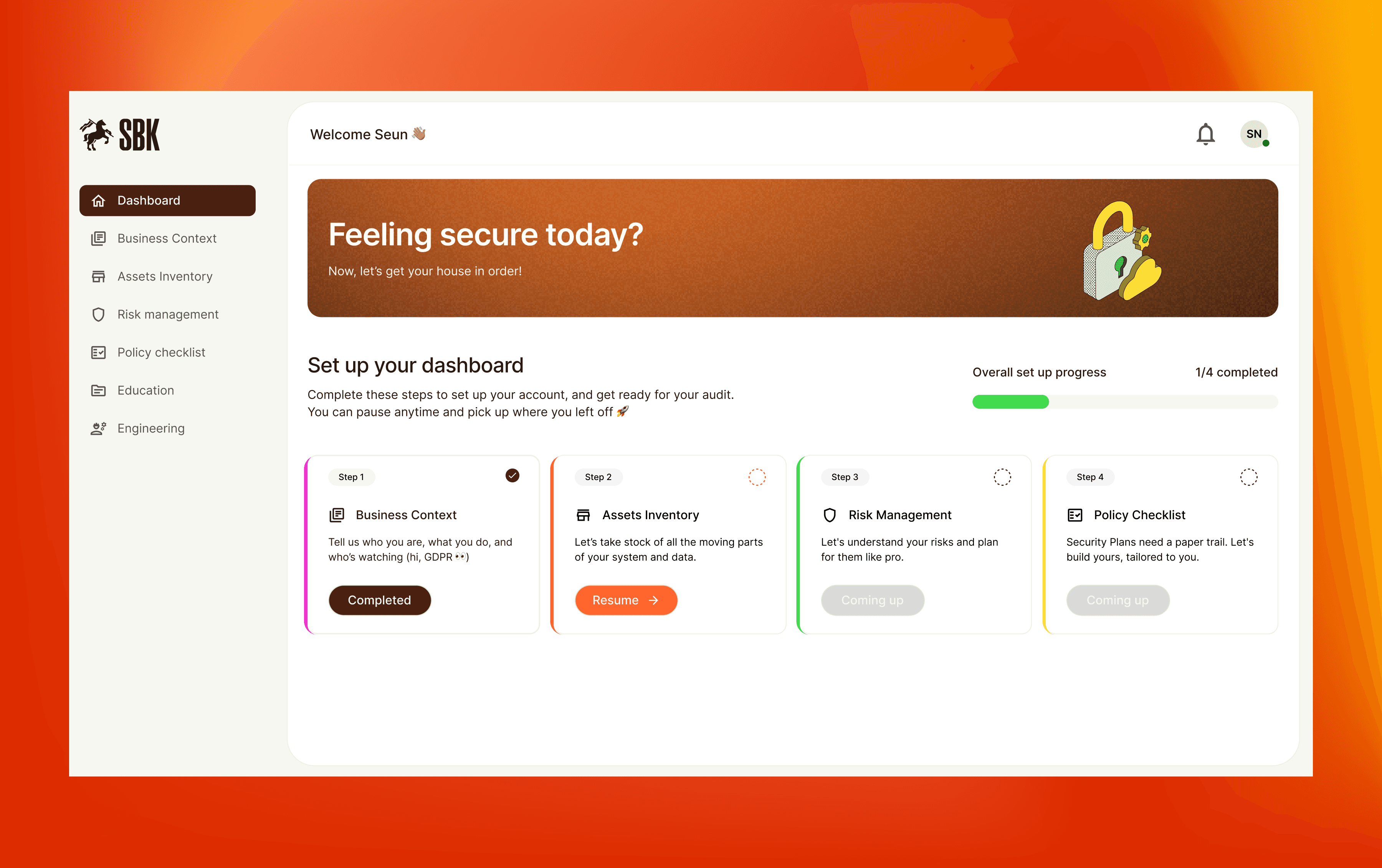
Project Overview
Client: Security Basics Toolkit
Industry: SAAS, Cybersecuity
My Role: Product Designer
Context
Security compliance tools are often complex and tedious, requiring teams to track large amounts of information about their systems, policies, and infrastructure across multiple sheets and folders. SBK simplifies this process by helping organizations understand their security posture through their business context and asset inventory — all within a single, guided dashboard.
For many teams, compliance isn’t handled in a single tool.
It’s done manually — across spreadsheets, documents, and scattered records.
Information is spread across multiple files
Requirements are unclear and hard to track
Processes are long, repetitive, and tedious
Progress is difficult to measure or maintain
Over time, this creates a system that feels overwhelming to manage.
The goal
Design a system that:
Simplifies how businesses approach compliance
Structures complex processes into clear steps
Reduces overwhelm and drop-off
Makes progress visible and motivating
The Solution
SBK is a guided compliance dashboard that helps businesses understand and improve their security posture through:
Business context
Asset inventory
Risk management
Policy tracking
Education and team progress
All within a single, structured experience.
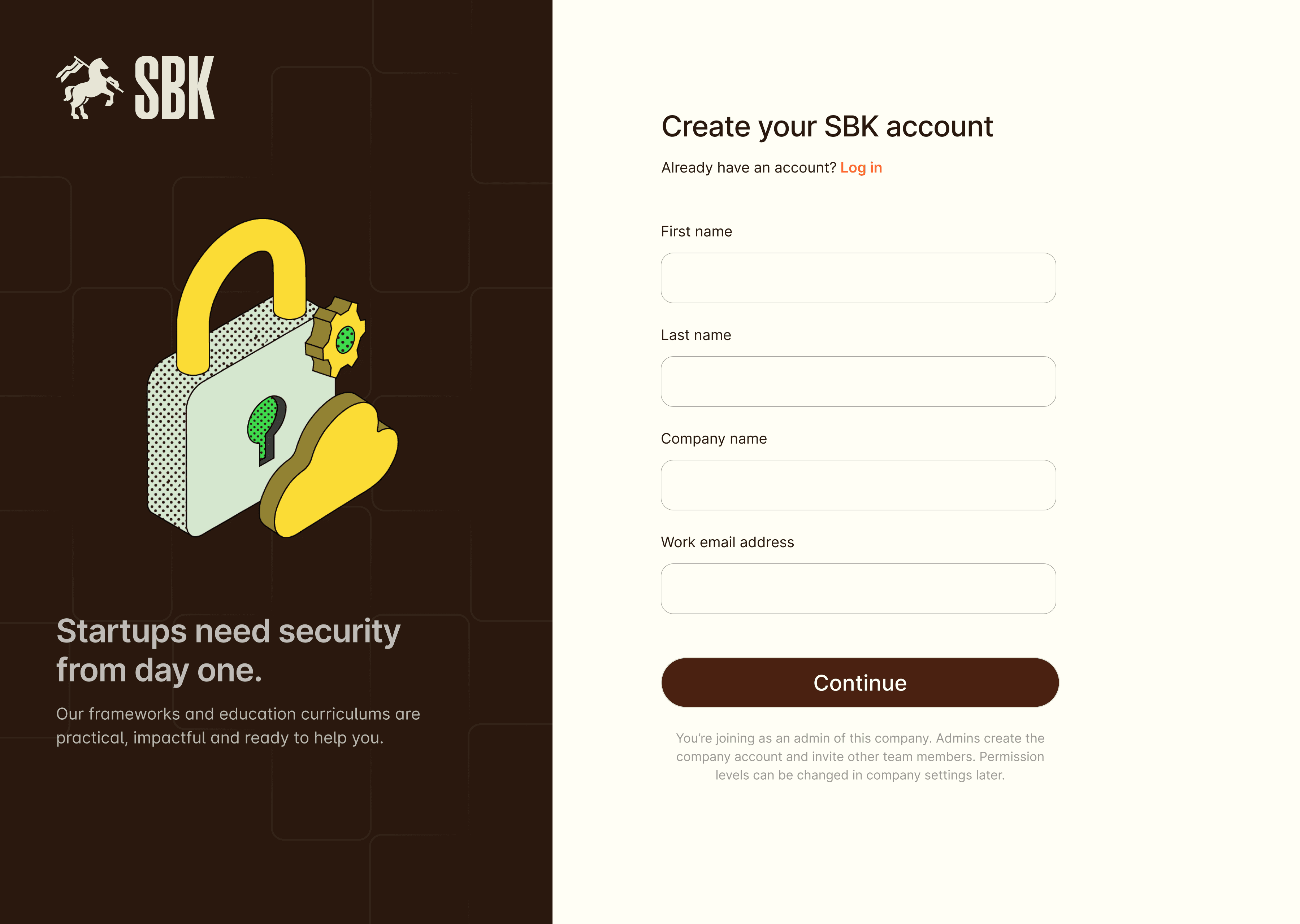
The dashboard introduces compliance as a progressive journey, not a one-time task.
Users complete four key steps:
Business Context — understanding the company and its operations
Assets Inventory — identifying tools, systems, and infrastructure
Risk Management — evaluating risks and calculating risk scores
Policy Checklist — tracking compliance coverage
Each step unlocks progressively, helping users:
stay focused
avoid overwhelm
build momentum
Breaking down complex input
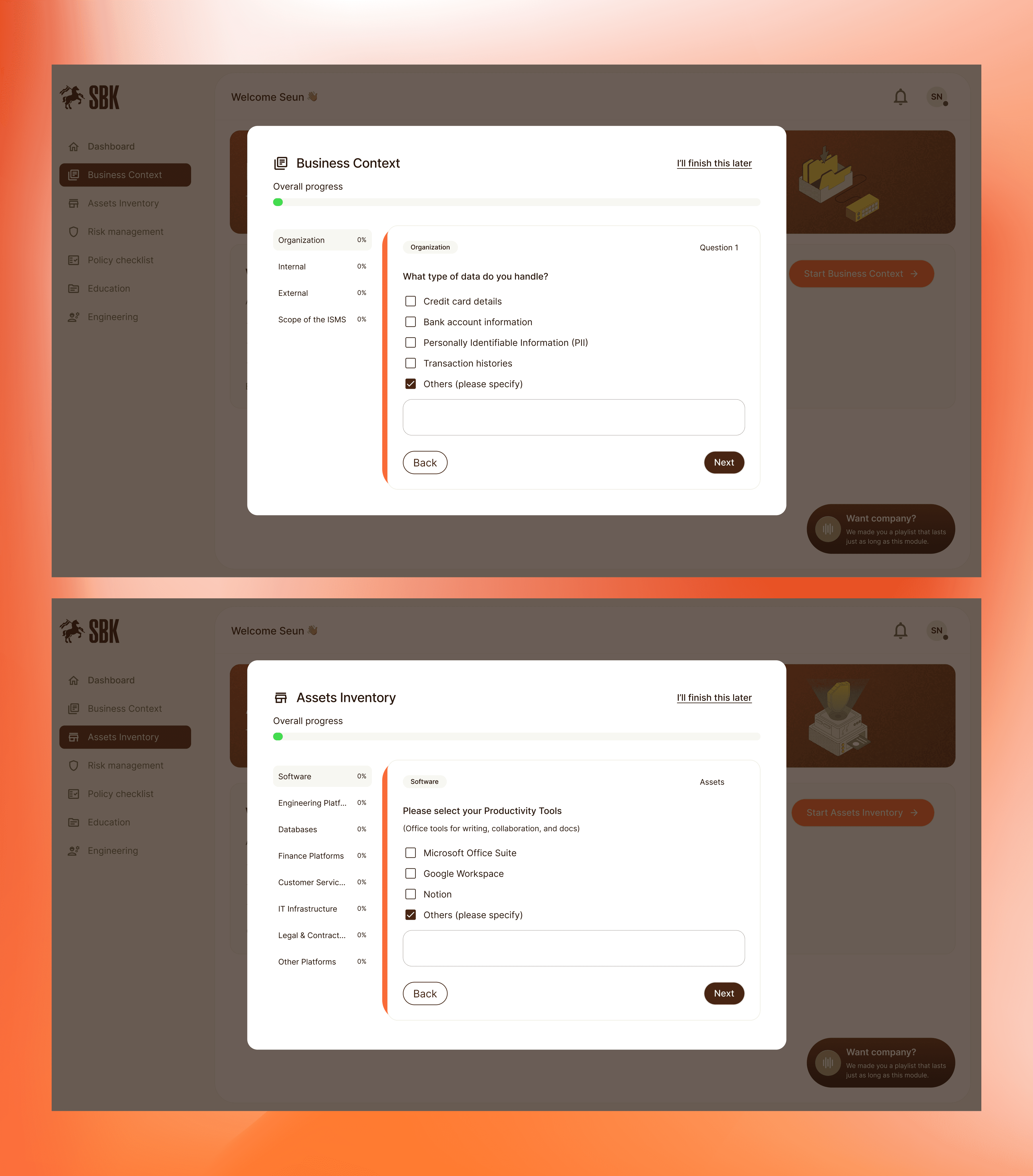
Compliance requires a lot of information. Business context includes ~15–20 questions, Asset inventory requires listing multiple tools and systems.
To manage this:
Inputs are broken into small, digestible steps
Clear progress indicators guide users
Users can pause and resume anytime
The goal was not to reduce the work, but to make it feel manageable.
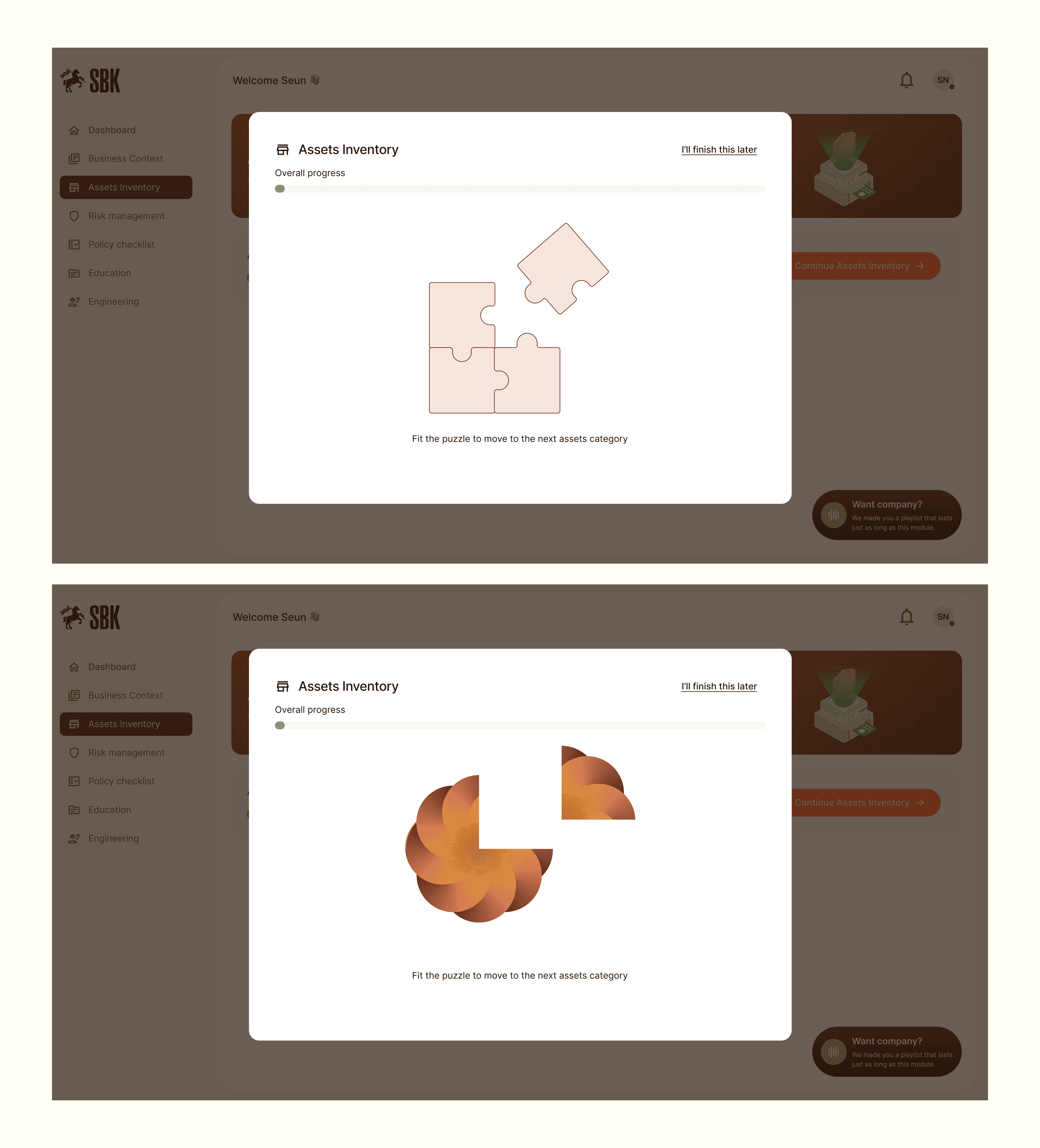
Designing for engagement in a tedious process
One of the biggest challenges:
Compliance is inherently boring.
To address this, I introduced lightweight interaction breaks in the form of puzzles between long sections.
These serve as:
mental breaks during long flows
a moment of delight in an otherwise rigid process
a way to reduce fatigue and drop-off
Combined with: “I’ll finish later” options and progress tracking
This helped transform the experience from a draining checklist into a guided, engaging journey.
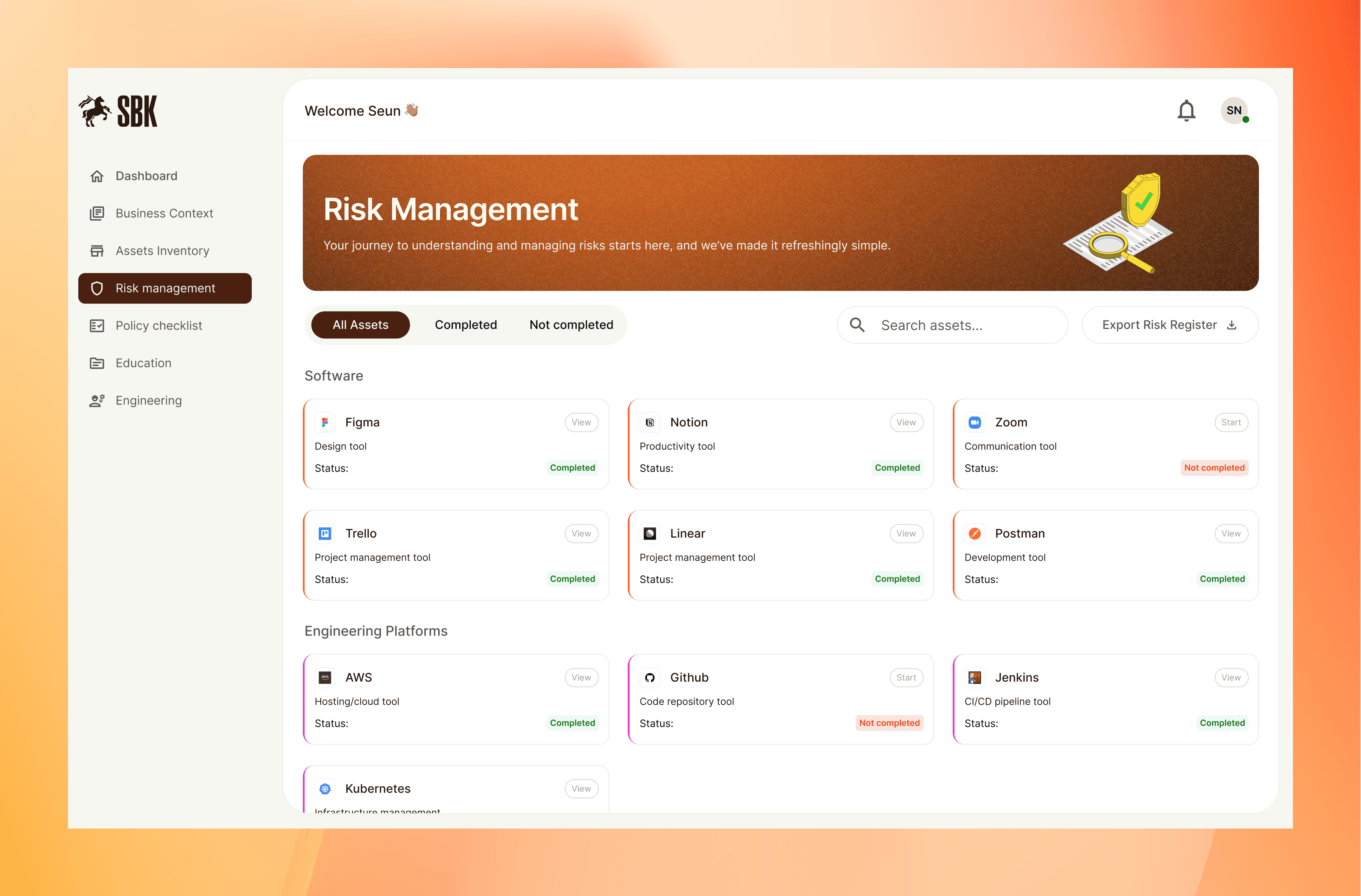
Understanding risk, not just listing it
The risk management module helps teams identify and evaluate risks tied to their assets, translating complex security concerns into clear, actionable insights through a structured risk scoring system.
Beyond setup: supporting teams
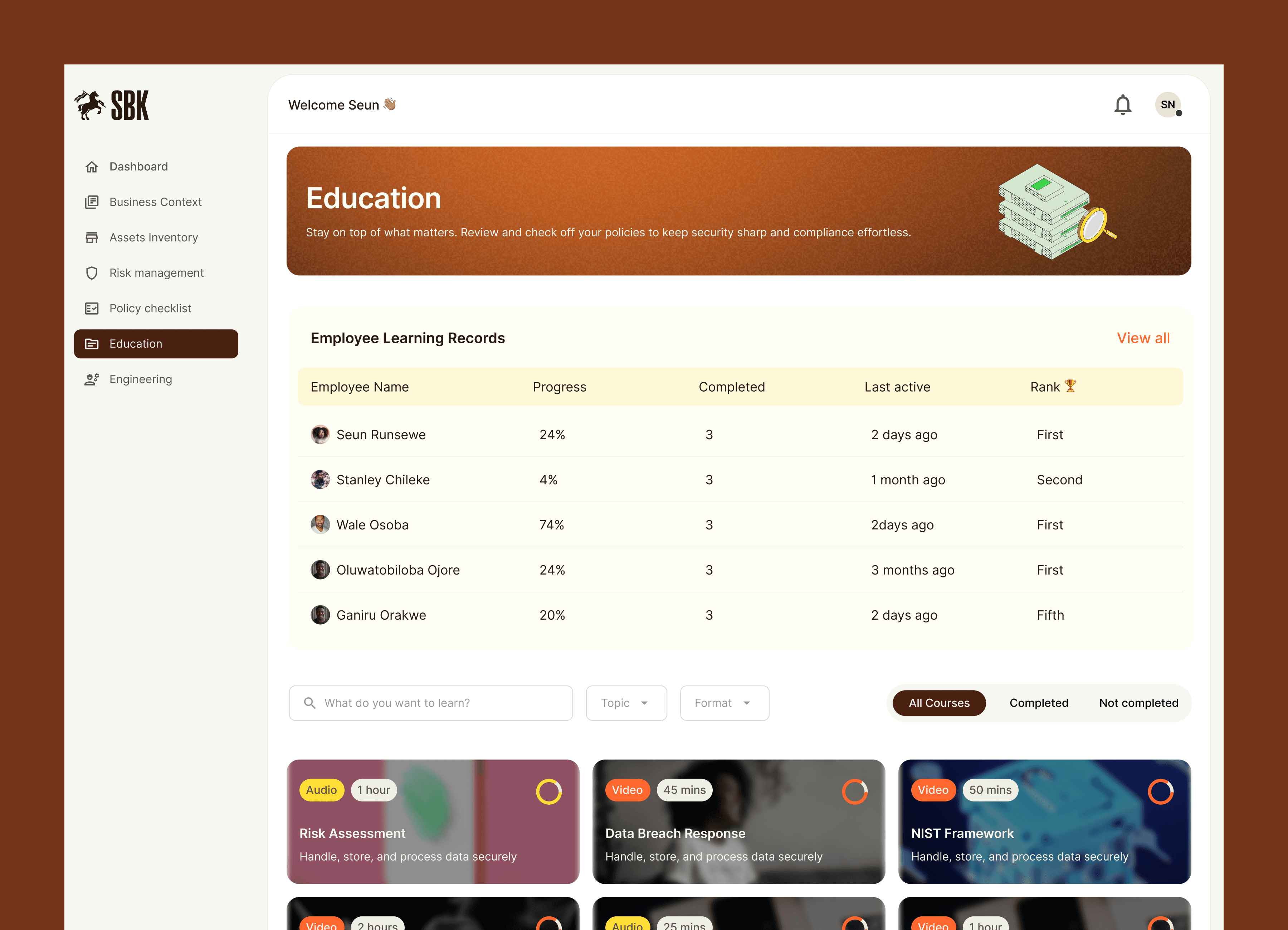
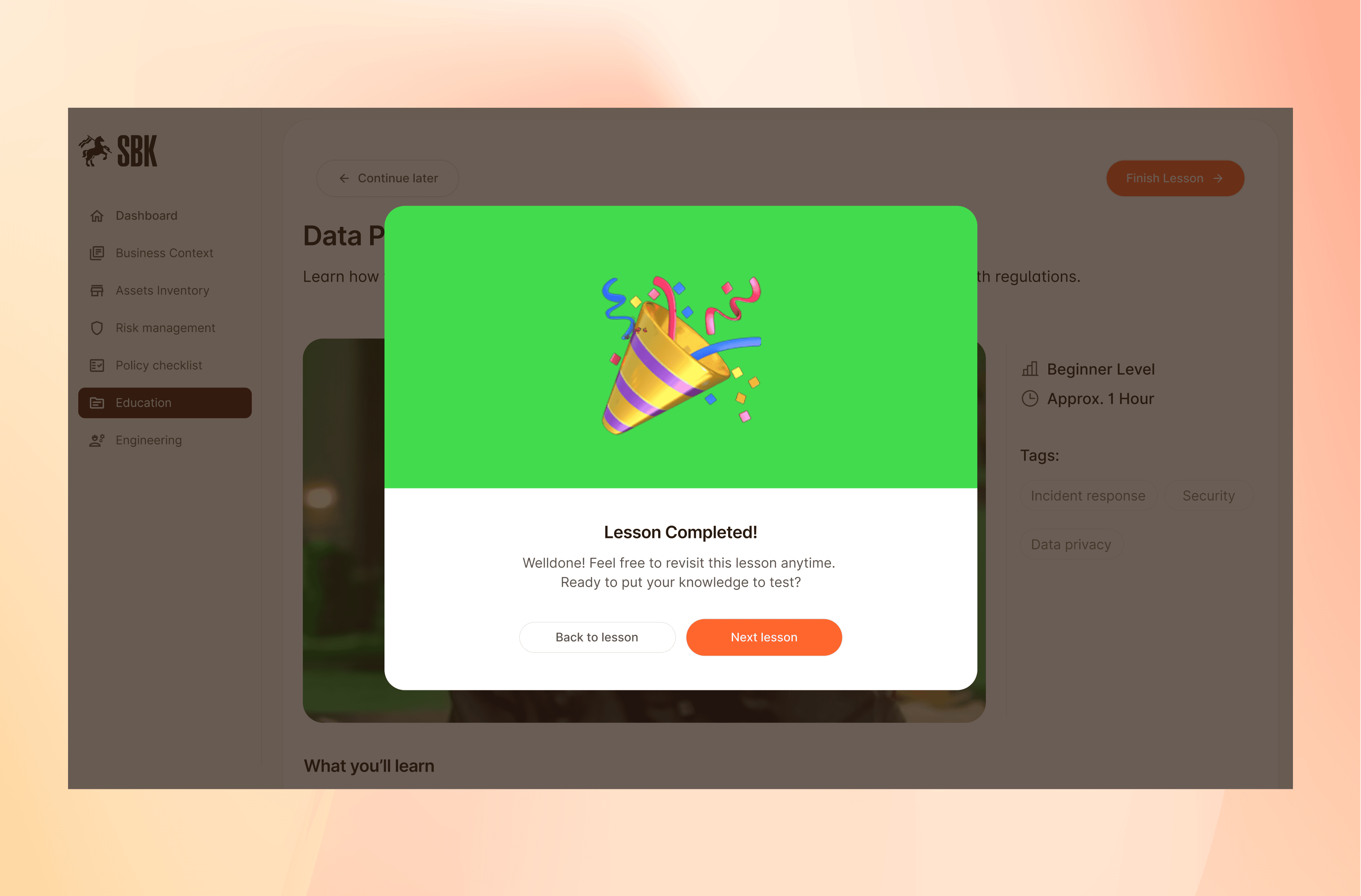
SBK extends beyond onboarding into ongoing compliance management:
Education module and team tracking - resources to help teams understand compliance and admins can monitor progress and completion rates of team members
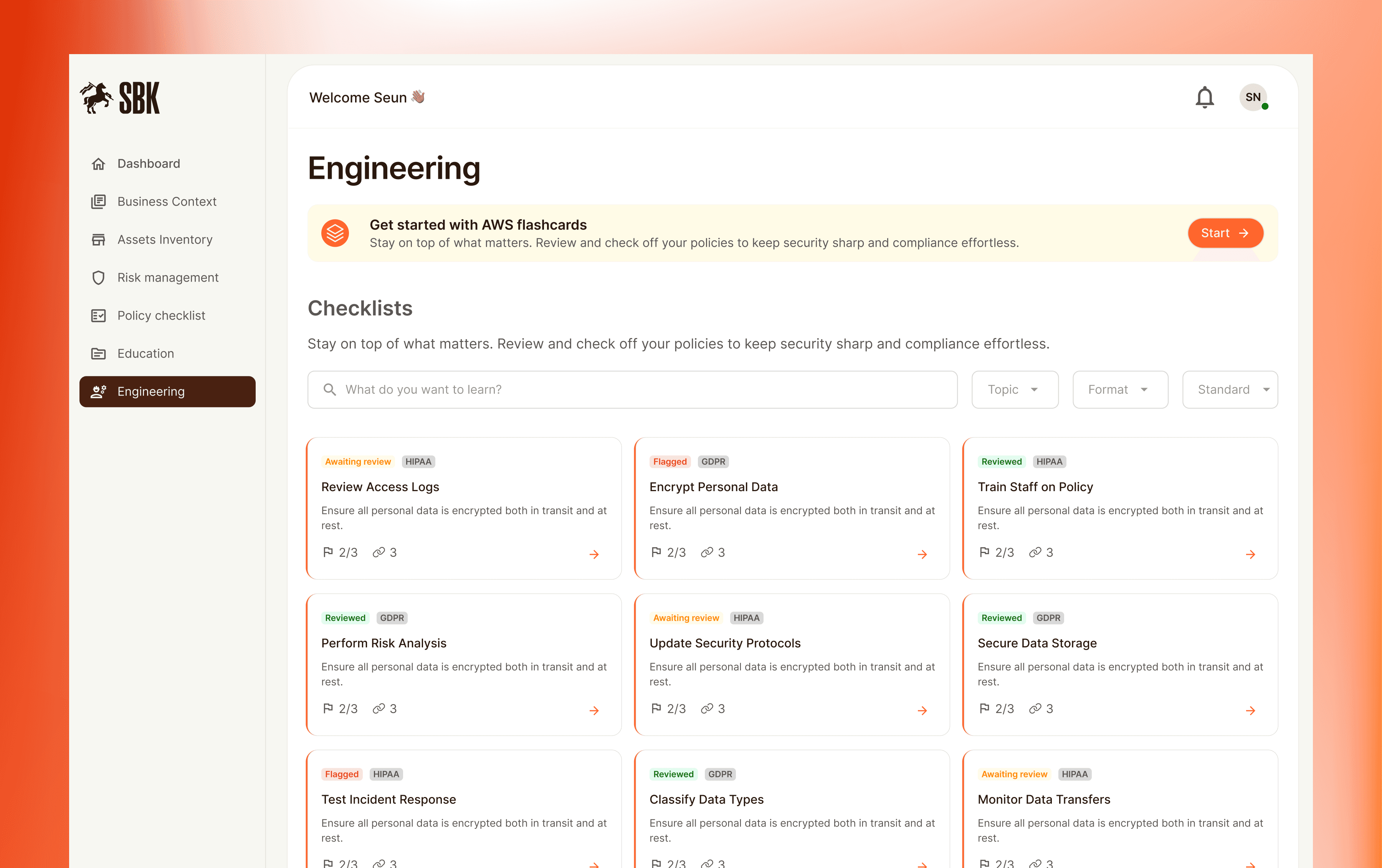
Engineering module
Actionable checklists for technical compliance
Learnings
I learned a lot about compliance during this project. I had to learn how compliance tools were supposed to work, how risk is scored, and so many terminologies to design a thoughtful flow that stays true to the users and the exprerience they expect. here are some other key things i learned:
Complex processes don’t need to feel overwhelming
Structure and sequencing can make even heavy workflows feel manageable and approachable.
Engagement matters, even in serious tools
Small moments of delight like puzzles and the thoughtful use of accent colours — can make rigid, tedious experiences feel lighter and more human.Progress visibility drives motivation
Users are more likely to complete long tasks when they can clearly track their progress.Clarity drives better decision-making
Breaking down complex inputs and connecting actions to outcomes helps users move with confidence.