Product Design
Project Overview
Company: Paystack
Industry: Fintech
Product: Watchtower
My Role: Product Designer
Watchtower is Paystack’s internal operations tool. It’s where teams go to:
Investigate transactions
resolve transfer issues
support merchants
understand what’s happening behind the scenes
It’s nearly a decade old, and deeply embedded in how the teams work.
Designing for it meant improving things without breaking what already works.
The Problem
This project focused on pending transfers in Ghana, processed through GhIPSS.
Previously:
Transfers were requeried every minute for 20 minutes. But this caused issues — It was flagged by the processor.
There was a new rule which meant we could only automatically requery transfers (check the status of a transfer) once every five minutes with a max 3 in 15 mins.
The Gap
A transfer can remain pending for up to 2 hours before being marked successful. If we automatically mark any transfer without a success or failure status as failed after just 15 minutes, we risk:
Sending incorrect transaction statuses to Merchants
Crediting recipients without debiting the corresponding Merchant accounts, thereby leading to reconciliation issues and losing more money.
Solution
Instead of over-automating, we shifted control to the operations team.
I designed a flow that allowed OPs teams to:
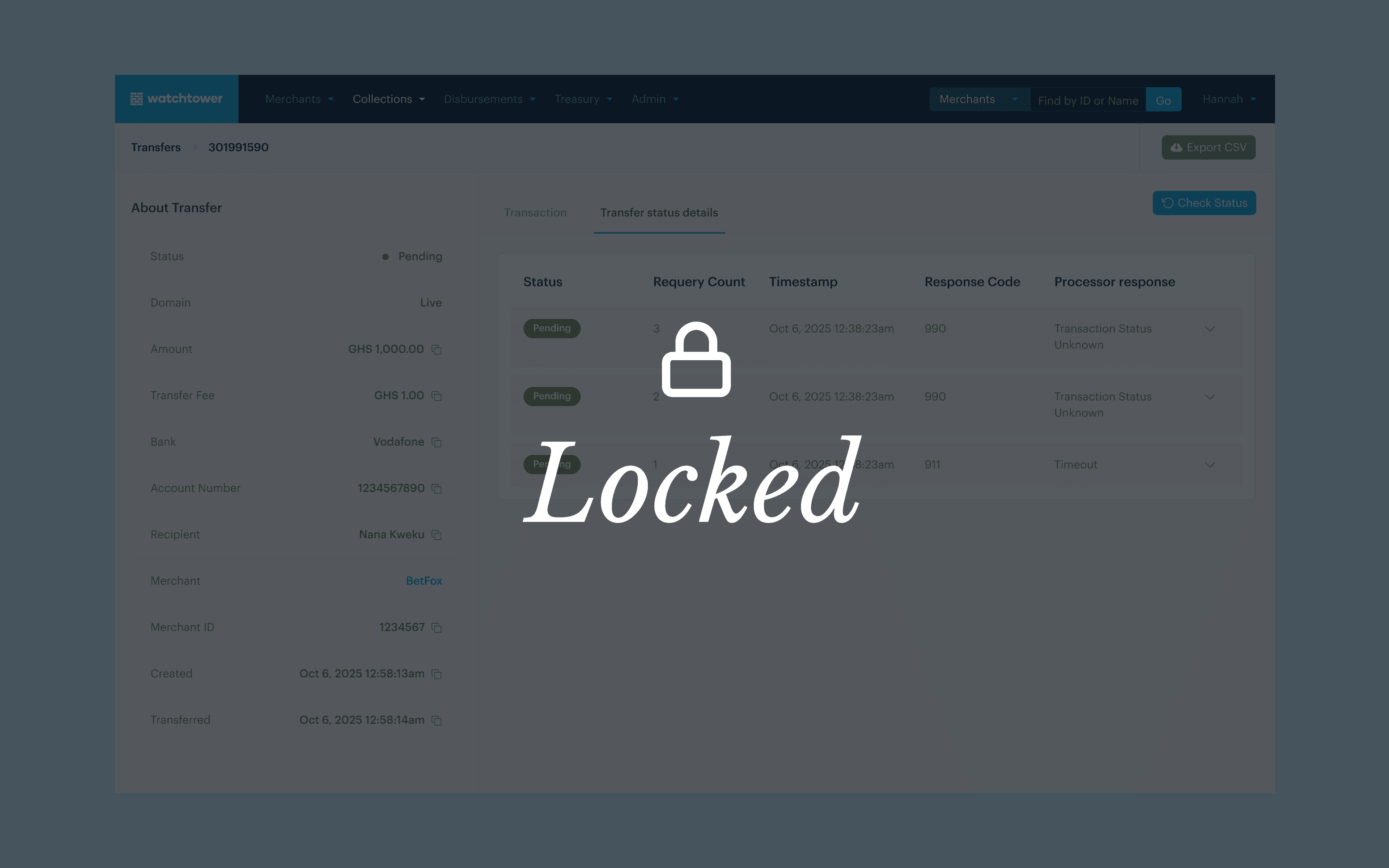
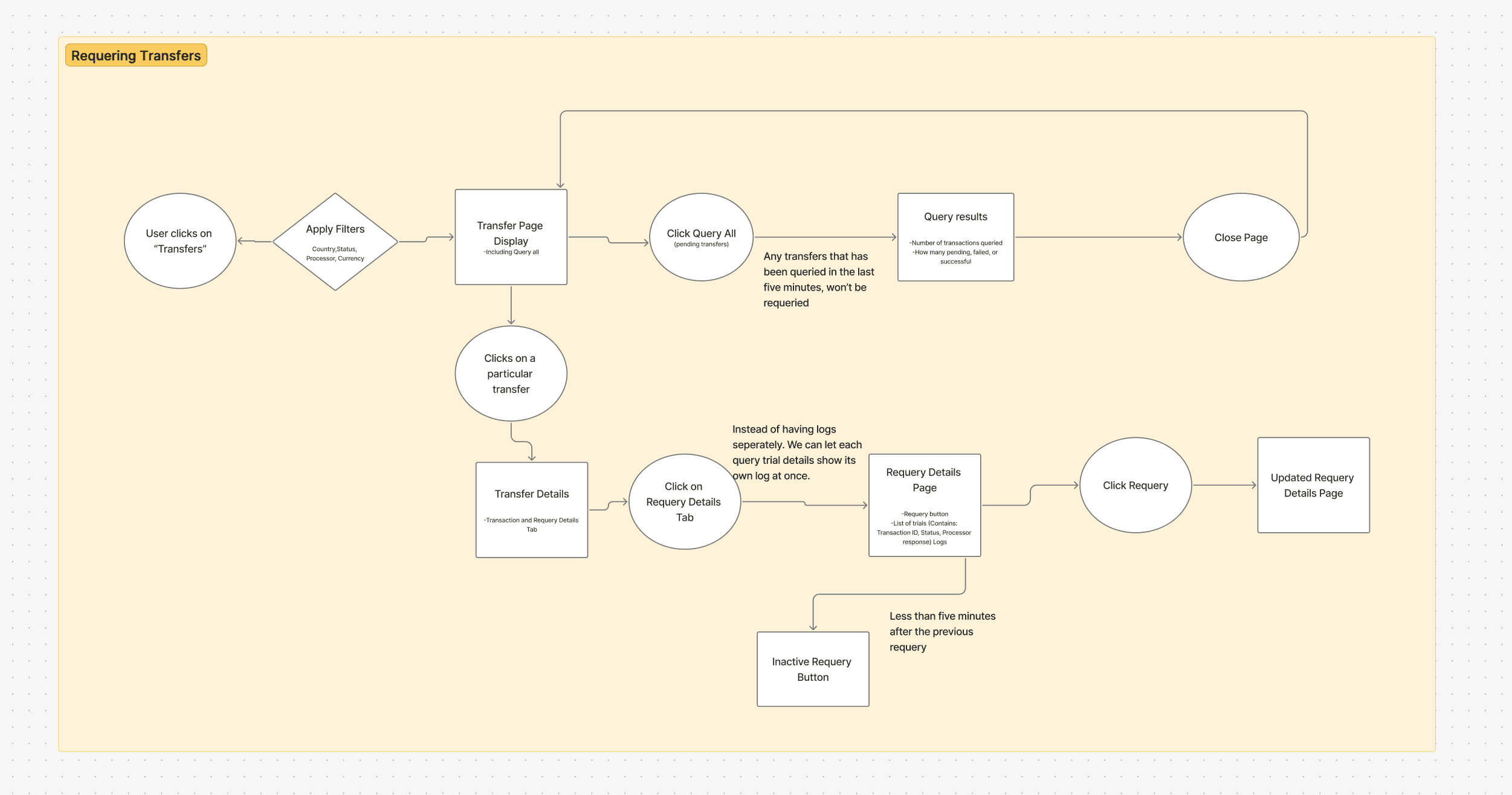
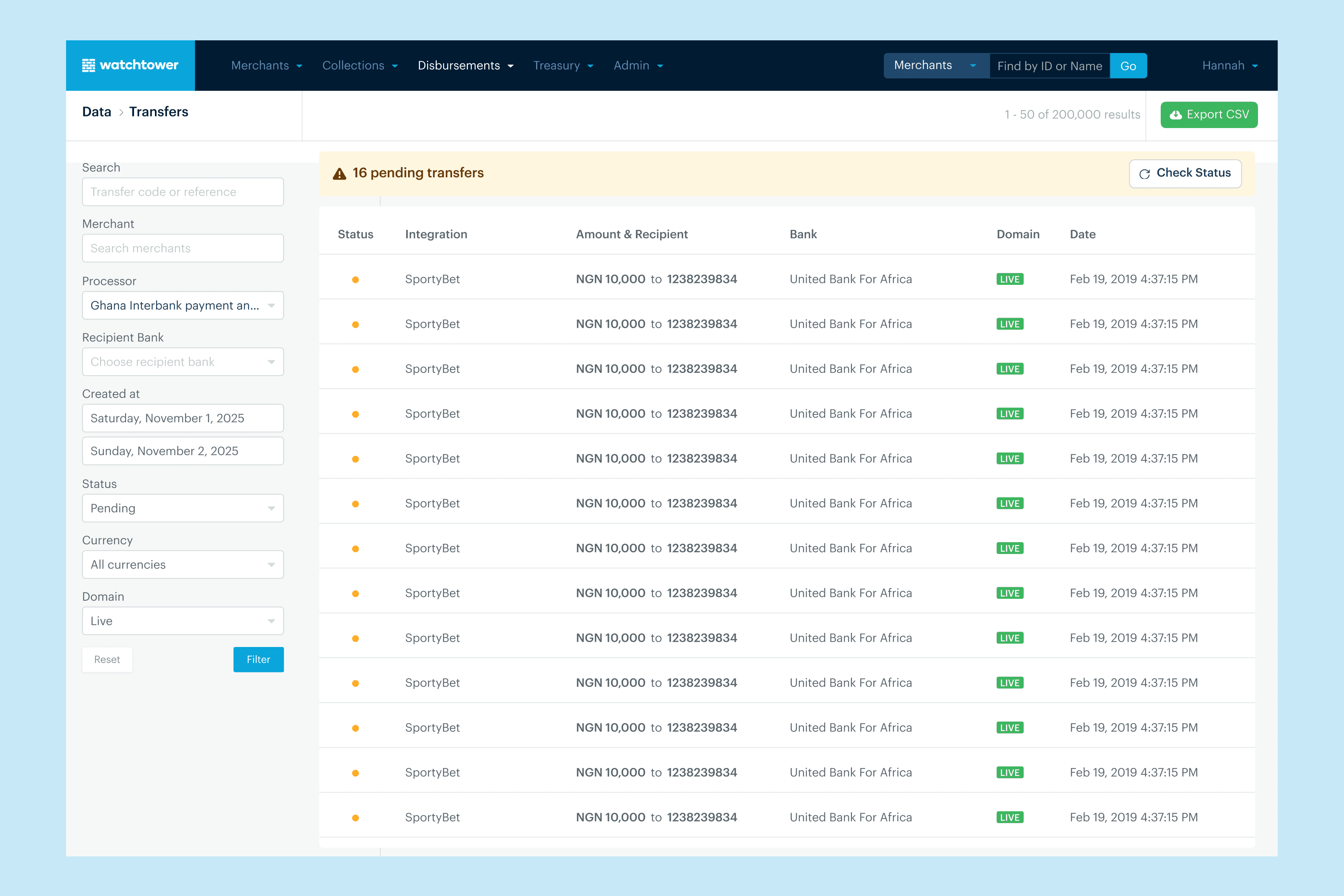
Check the status (requery) of a pending transfer on Watchtower with a five minutes interval. This was controlled on the backend and only enabled every 5 minutes after the previous requery.
Log all requeries attempted on Watchtower
See the full details of the requery results, filter through the results and be able to export the results.
Show a 5mins countdown after a transfer is requeried to enable the ops team know when that particular transfer can be requeried.
Design Decisions
Controlled Requerying: Requeries are limited to once every 5 minutes, enforced by the system. This ensures compliance while maintaining functionality
Countdown for Feedback: After each requery, a 5-minute countdown shows when the next action is available.
Requery Logs: Every requery attempt is logged and visible.
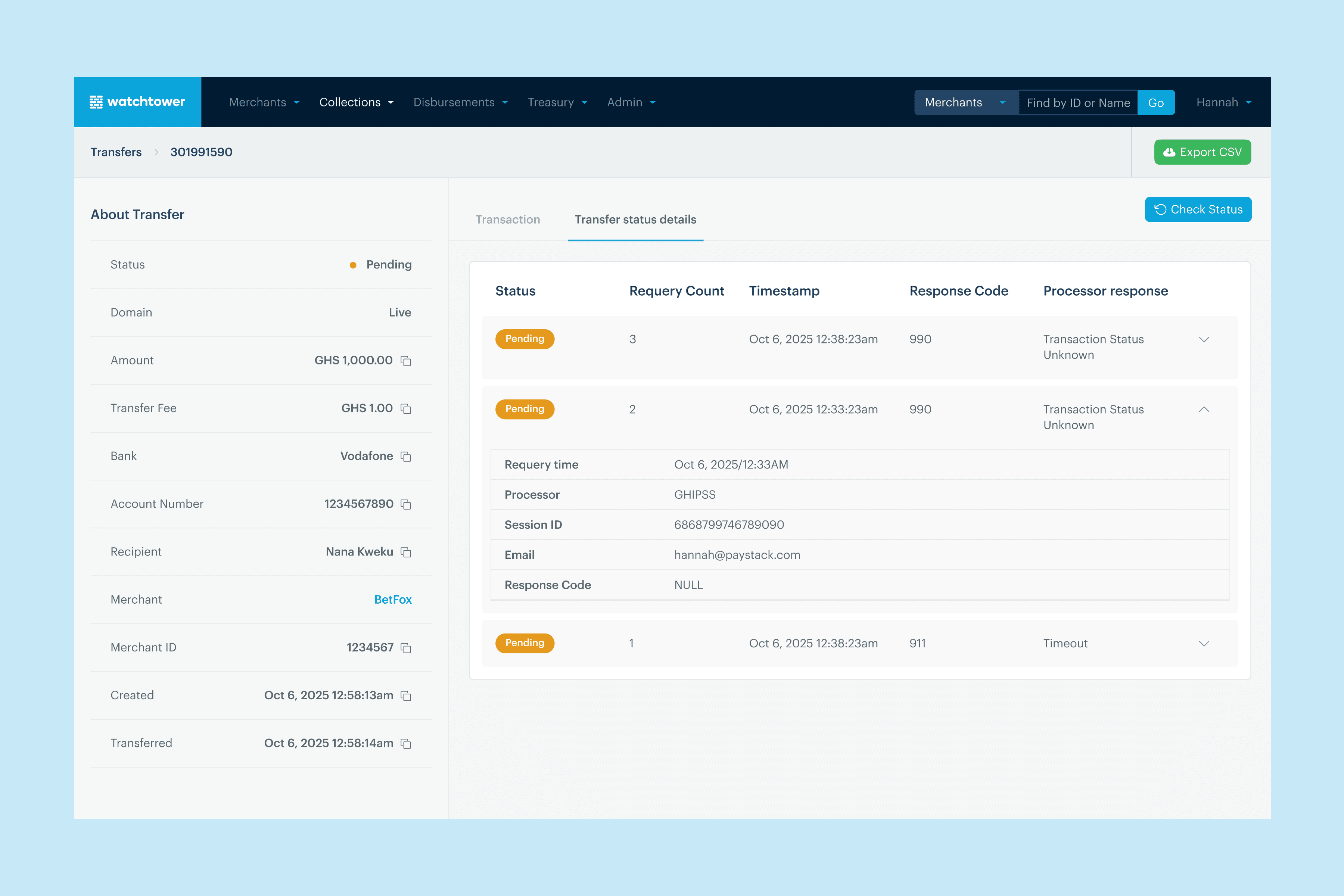
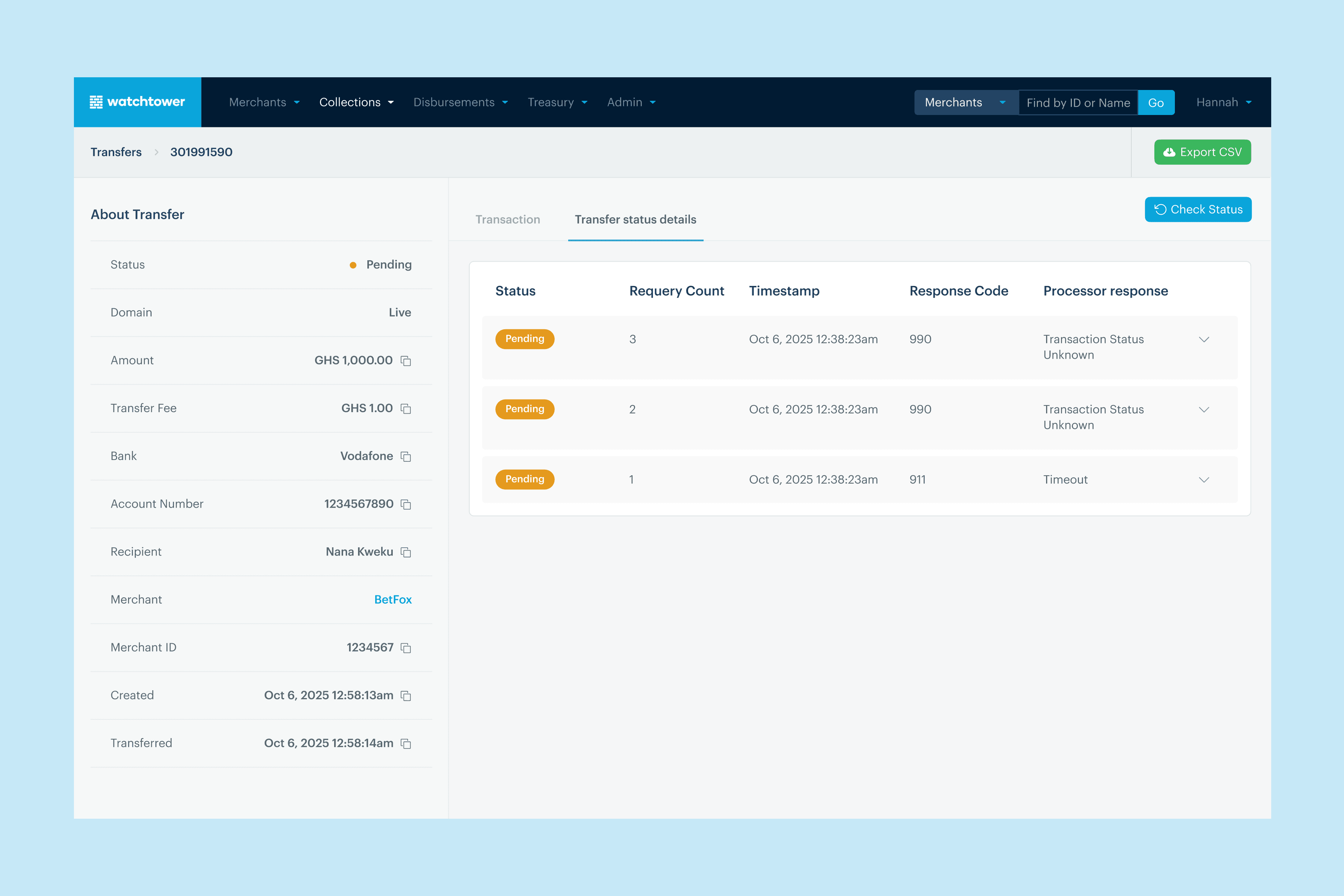
Since requerying is specific to GHIPSS and pending transfers, to reduce clutter and prevent invalid actions, the “Check status” button is shown only when users filter for GHIPSS and pending transfers.
Impact
Reduced risk of false failed transfers
Improved accuracy of transaction statuses
Gave ops teams more control and visibility
My learnings
Proximity to users drives better product decisions: Early designs improved the system, but it was conversations with Operations and CX teams that revealed critical needs like filtering and exporting.
Small interaction details drive clarity: Features like countdowns, logs, and system feedback give users the context they need, reducing uncertainty and making complex workflows easier to navigate.